

Corporate site
Farvahar Tejarat Pars
Corporate site without a cart. What you can verify is the live site.

Migration is not automatically the best decision. WordPress remains appropriate for many corporate, content, and standard store projects. The right path depends on requirements, current implementation quality, maintenance cost, and future plans — not on the idea that custom is always “more advanced.”
IlyaWeb works with both WordPress and custom development. We recommend staying on WordPress when it still fits. We recommend optimization when the platform is fine but configuration or assets are the problem. We recommend migration when the architecture itself blocks the business.
| Situation | Usually start with |
|---|---|
| Slow pages from assets, caching, or plugin load | WordPress optimization |
| Outdated visual design with a workable structure | Redesign on WordPress via WordPress website design |
| Plugin conflicts or update breakage | Compatibility fixes / optimization first |
| Standard corporate or content website | Stay on WordPress unless requirements change |
| Standard WooCommerce store meeting needs | Evaluate store improvements on e-commerce |
| Complex workflows, roles, or unusual integrations | Assess custom via this page + custom development |
| Operational portals and multi-user systems | Assess web applications |
These are reasons to assess — not automatic approval to abandon WordPress.
Having many plugins is not, by itself, a reason to migrate. First ask whether the plugins still serve the business or whether the architecture is the bottleneck.
A custom solution can include capabilities like the ones below when they are written into the project scope. This is not a promise that every migration includes every item.
Some projects are hybrid: marketing content may remain on WordPress while authenticated operations move to a web application. That split is scoped intentionally — it is not automatic for every engagement.
Greenfield custom builds without an existing WordPress site belong primarily on custom web development. This page focuses on migrating from an existing WordPress foundation.
Custom is not automatically faster, cheaper, more secure, or better for SEO. Outcomes depend on architecture, implementation, infrastructure, testing, and maintenance.
If the only problem is speed or configuration, start with WordPress optimization. If you need a new WordPress site, use WordPress website design.
| Topic | WordPress | Custom solution |
|---|---|---|
| Time to first launch | Often shorter for standard content sites | Longer when workflows and panels are custom |
| Content editing | Mature CMS out of the box | Admin experience is designed and built to need |
| Custom business rules | Limited by themes, plugins, and workarounds | Modeled in application code |
| Integrations | Often plugin-by-plugin | Planned as part of architecture |
| Maintenance | Core, theme, and plugin updates | Application maintenance on your stack |
| Upfront cost | Often lower for standard scopes | Often higher; long-term cost depends on scope |
| SEO outcome | Depends on implementation quality | Depends on implementation — not automatic |
We do not publish fixed delivery times. Duration depends on inventory depth, workflows, data quality, and approvals.
Review the live WordPress site, plugins, hosting constraints, and business goals.
Map users, roles, processes, and what must exist in the first useful release.
Written migration scope, architecture proposal, and USD estimate.
Plan key interfaces for public pages and authenticated areas when needed.
Build against agreed milestones so stakeholders can review progress.
Transfer the agreed inventory; validate against source where measurable.
Inventory indexable URLs, map destinations, and plan permanent redirects.
Functional, access, data, form/order, accessibility, and performance checks as scoped.
Cutover plan, monitoring, and agreed follow-up — ongoing care via support when contracted.
International projects use a starting estimate or custom quote in USD. See pricing factors.
The public WordPress address is enough to start the conversation.
What WordPress can no longer handle cleanly for your team.
Roles, workflows, integrations, portals, or reporting that matter most.
Approximate goals or constraints — not a fixed deadline promise from us.
Migration is not “export and hope.” Not all WordPress data is automatically transferable. Scope depends on the database, plugins, custom fields, integrations, data quality, and agreed requirements.
Assets that may be inventoried for migration:
Passwords are not migrated as plain text. Payment records, third-party account data, and plugin-locked datasets may be incomplete or non-transferable. Zero data loss is not promised for every project before inspection. Live sites that keep receiving orders or registrations need a cutover plan for the final delta.
Backups, access control, validation against source data, staging tests, and handling of sensitive information are discussed before invasive work. Who creates backups is written into the scope.
Careful planning reduces risk. It does not guarantee that rankings or organic traffic will stay the same. Platform changes can cause temporary fluctuations even when technical work is diligent.
Typical SEO migration workstream:
We do not dump every old URL to the homepage. Content without an equivalent may be merged, retired, or intentionally left with a documented decision. Monthly SEO campaigns are not included by default. Ongoing monitoring belongs under support when contracted. Related technical improvements on WordPress (without replatforming) are covered on WordPress optimization.
| Step | What we plan |
|---|---|
| 1. Inventory | Indexable URLs and important landing pages |
| 2. Mapping | Old URL → appropriate new destination |
| 3. Redirects | Permanent redirects where a meaningful equivalent exists |
| 4. Metadata | Titles, descriptions, and canonicals as scoped |
| 5. Sitemap & robots | Updated sitemap and indexability checks |
| 6. Internal links | Update critical internal paths |
| 7. Structured data | Review relevant schema where it still applies |
| 8. Post-launch | 404, indexing, and traffic notes when access allows |
Custom development can provide greater architectural control when the project requires it. A custom website is not automatically faster, more secure, more scalable, or better for SEO than WordPress.
Outcomes depend on architecture, implementation quality, hosting, caching, testing, and ongoing maintenance. We discuss practical engineering constraints — hosting limits, third-party scripts, authentication design, backups, and monitoring — as part of scope. We do not invent performance statistics or claim security certifications we do not hold.
IlyaWeb has representative offices in Dubai, London and New York. International collaboration is remote. Representative offices in Dubai, London and New York. In-person visits by appointment only.
Verifiable differentiators: assessment before recommending migration; experience across WordPress and custom development; scope and estimates based on actual requirements; attention to SEO continuity and URL mapping; remote collaboration with international clients; solutions designed around real workflows.
We do not invent awards, certifications, foreign client logos, or unverified case-study metrics. Related live projects may appear below as examples of delivered work — not as guaranteed migration outcomes. See About IlyaWeb and Contact.
We do not publish a fake list price. After assessment, international projects receive a starting estimate or custom quote in USD.
Iranian-market package prices on other language pages are not automatically applicable internationally unless explicitly confirmed for your scope.
| Factor | Why it matters |
|---|---|
| Website size & complexity | More templates and content types expand inventory work |
| Data volume & quality | Messy or plugin-locked data needs more migration effort |
| User roles | Multiple permission models multiply interface and testing work |
| Custom workflows | Business rules and status flows drive application scope |
| API integrations | Depends on documentation, permissions, and reliability needs |
| Design requirements | New UX vs. carrying visual direction changes effort |
| SEO migration complexity | URL inventory depth and redirect matrix size |
| Testing, launch, support | Staging, cutover, and post-launch monitoring |
These sites are online. Screenshots show each homepage. They were delivered in Iran and are not presented as local client references for other markets.
Corporate site without a cart. What you can verify is the live site.
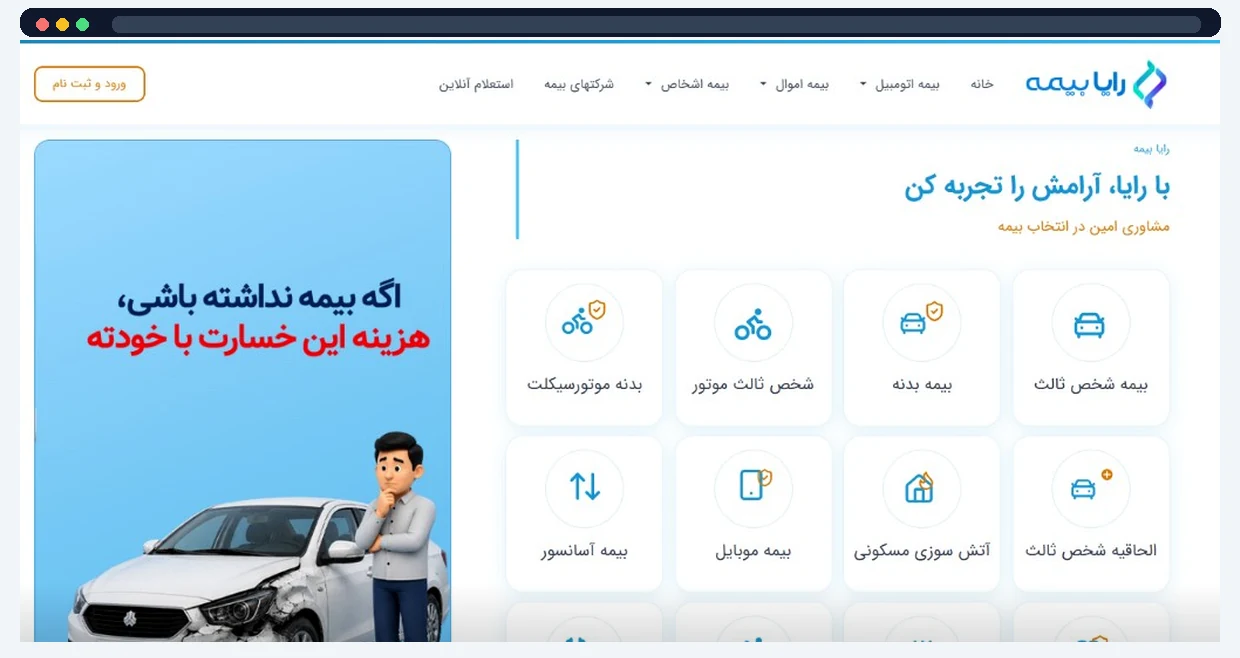
Live insurance brokerage site. We do not publish policy counts or conversion rates.

We do not invent client names, rankings, traffic, or revenue. Request a consultation
Cost depends on site size, data quality, roles, workflows, integrations, design needs, SEO URL complexity, and testing/launch scope. International projects receive a USD starting estimate or custom quote after assessment — not a list price on this page.
There is no fixed calendar promise. Timeline follows inventory depth, development scope, migration complexity, and approvals. A narrow content site and a multi-role operations platform are not the same project.
Sometimes visual direction can be carried forward; sometimes the new architecture needs redesigned interfaces. Design carry-over vs. redesign is decided during assessment and written into scope.
We plan URL inventory, redirects, metadata, sitemaps, and post-launch checks to reduce risk. Temporary fluctuations can still happen. We do not guarantee rankings will remain unchanged or improve.
Not always. Transfer depends on plugins, custom fields, integrations, data quality, and legal/access constraints. Non-transferable items are documented. Zero loss is not promised before inspection.
It can be, when architecture and infrastructure are designed for performance. Custom is not automatically faster than a well-built WordPress site. Speed outcomes are measured, not assumed.
No. WordPress often remains the better choice for standard corporate and content sites. Custom development is justified when requirements outgrow what the CMS can support cleanly.
Often yes, when requirements are clear and external systems provide usable interfaces. Each integration is scoped individually. Undocumented systems cannot be promised as ready connectors.
Yes, cutover planning, staging, backups, and rollback discussion are part of a careful launch. Zero downtime is not guaranteed for every project.
Yes, through a separate support agreement. Ongoing maintenance is not assumed to be included in the migration project.
Not always. Some projects keep marketing pages on WordPress while critical workflows move first. Hybrid approaches are scoped intentionally when they reduce risk.
In-person visits by appointment only